
Frontend UserManager integration & troubleshooting
Understand the integrated workflow and resolve the most common file, permission and processing issues.
Using the included integration
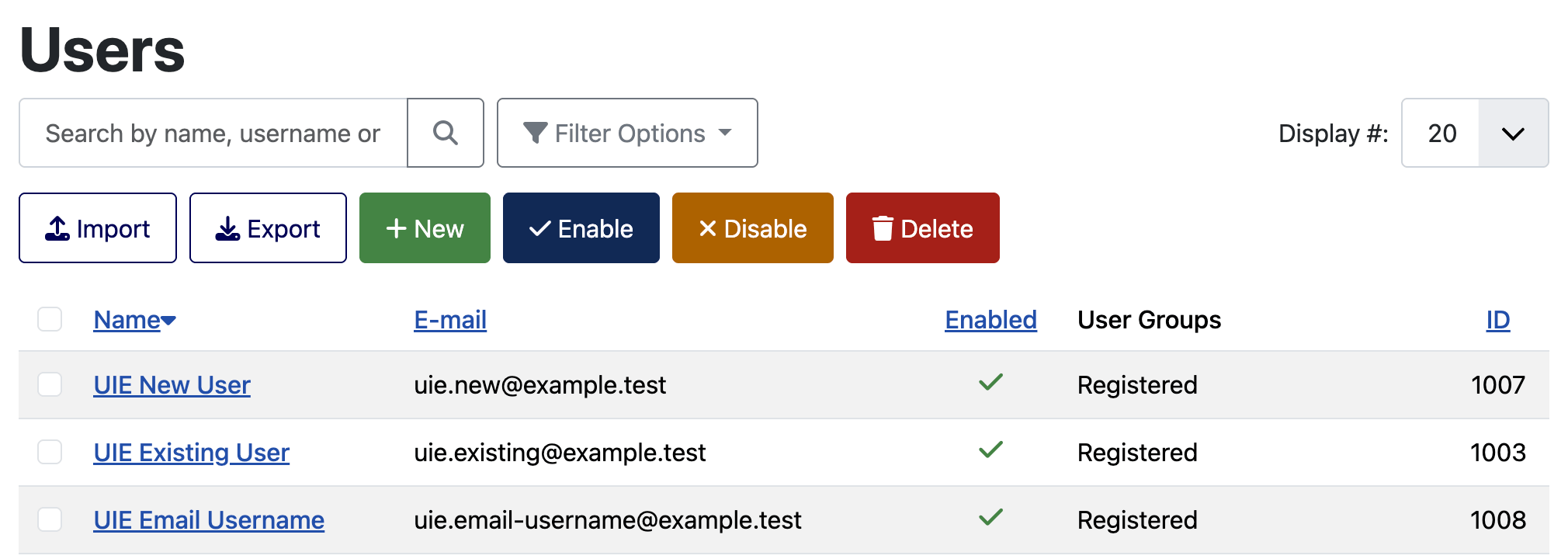
Frontend UserManager includes User Import & Export in its package. Authorised managers can open import and export from the Frontend UserManager user list and return to it after completing a job.
Permissions and visible users
The integrated workflow respects Frontend UserManager's active permission mode, hierarchical scope, hidden groups and protected users. Import or export cannot be used to reach users or groups the current manager is not allowed to manage.
- Frontend superusers retain the broad access configured in Frontend UserManager.
- Hierarchical administrators remain limited to their manageable branch.
- Hidden and protected groups remain unavailable.
- Changes to Joomla Super Users require Joomla Super User authority, and the Super Users group cannot be assigned through import.
Username = E-mail
When Frontend UserManager's Username = E-mail setting is enabled, username mapping, username matching and username export choices are hidden in the integrated workflow. The component enforces the e-mail address as username during validation and processing.
EasyLearn integration
If EasyLearn and its enrollment plugin are installed, the import settings can run EasyLearn auto-enrollment after committed user-group changes. A problem in the optional integration is isolated so it does not expose sensitive row data.
Common problems
| Problem | What to check |
|---|---|
| The file is rejected before mapping | Confirm CSV/XLSX format, file size, PHP upload limit, row/column limits and that the XLSX file is not damaged or excessively compressed. |
| Columns are analysed incorrectly | Select the correct worksheet, delimiter, encoding and header row, then click Analyse again. |
| A saved mapping fits poorly | Check changed or duplicate headings. Review every loaded match and save a new profile if the source layout has genuinely changed. |
| Existing users do not match | Check the chosen matching field, empty values, duplicates and whether Username = E-mail changes the available choice. |
| A group is unknown or ambiguous | Use its numeric ID or full hierarchical path instead of a repeated title. |
| Status or password is not updated | Enable the relevant update option and confirm the current account has permission for the action. |
| Password mapping is disabled by the mode | Select the explicit mode that corresponds to the mapped plain-password or Joomla-hash column—or remove the password mapping. |
| The import stops after a connection problem | Open Recent jobs and continue or retry the next batch. Do not create a duplicate job immediately. |
| An export field or format is unavailable | Check component options, permissions and whether the field is allowed in the current FUM context. |
| A report or export has expired | Create a new job. Protected files are deleted automatically after the configured retention period. |
Information for support
Before contacting support, collect:
- User Import & Export, Joomla and PHP versions
- Whether the workflow is standalone, administrator or Frontend UserManager
- File format, approximate row/column count and selected source settings
- Import strategy and matching field
- Stable error codes from the report
- Steps that reproduce the problem with non-sensitive test data
Do not send production user files, plain passwords or password hashes in an ordinary support request. Reproduce the issue with anonymised test rows whenever possible.
