
Component settings & permissions
Configure storage, safety limits, file retention, password features and access rights.
Opening the options
In the Joomla administrator, go to Components → User Import & Export and select Options. Settings are divided into General, Export, Passwords and Permissions.
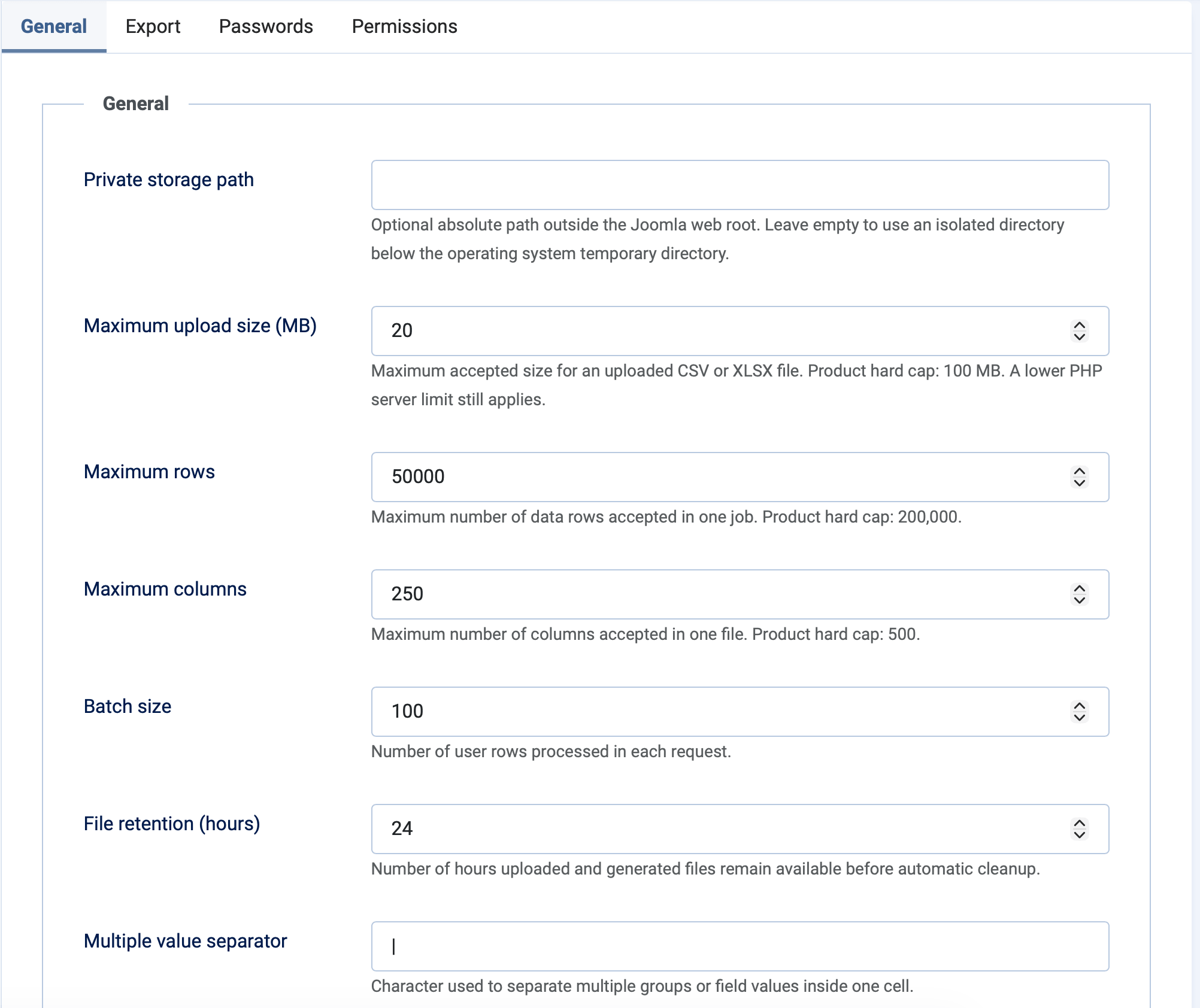
General settings
| Setting | Default | Purpose |
|---|---|---|
| Private storage path | Automatic | Optional absolute path outside the web root. Leave empty to use an isolated operating-system temporary directory. |
| Maximum upload size | 20 MB | Largest accepted CSV or XLSX upload. The server's PHP upload limit can be lower. |
| Maximum rows | 50,000 | Maximum number of data rows in one job. |
| Maximum columns | 250 | Maximum number of source columns. |
| Batch size | 100 | Rows processed in each import request. |
| File retention | 24 hours | How long uploaded files and ordinary reports remain available. |
| Multiple-value separator | | |
Separates multiple groups or field values inside one cell. |
The configurable values cannot exceed 100 MB, 200,000 rows or 500 columns. For very large datasets, CSV normally uses fewer server resources than XLSX.
Export settings
| Setting | Default | Purpose |
|---|---|---|
| Allow CSV export | Yes | Makes CSV available to authorised users. |
| Allow XLSX export | Yes | Makes XLSX available to authorised users. |
| Export batch size | 250 | Users staged in each resumable export request. |
| Export retention | 24 hours | Maximum lifetime of an ordinary protected export. |
| Password-hash export retention | 15 minutes | Short lifetime for sensitive hash exports, which are also deleted after the first successful download. |
Password settings
- Allow plain password import is enabled by default. Joomla validates and hashes imported plain passwords.
- Allow Joomla password hash import is enabled by default for controlled Joomla-to-Joomla migrations.
- Allow password hash export is disabled by default and should remain disabled unless a migration requires it.
Enabling password-hash export globally is not sufficient on its own. The user must also be a Joomla Super User, have the dedicated permission and complete the warning confirmation.
Permissions
| Permission | Allows |
|---|---|
| Access Administration Interface | Open the component in the Joomla administrator. |
| Import users | Upload, map, validate and import authorised user data. |
| Export users | Create exports containing users the current account is authorised to manage. |
| Manage saved profiles | Create, update and delete the account's own import mappings and export profiles. |
| View all jobs | View jobs beyond those owned by the current account. |
| Export password hashes | Include supported Joomla password hashes in an export. This remains restricted to Joomla Super Users. |
Ordinary Joomla user-management permissions still apply. A user cannot use an import or export to bypass the users, groups or actions they are otherwise authorised to manage.
If you expose the frontend dashboard, assign a restricted Joomla access level to its menu item and grant the component permissions only to trusted groups.
