
Validation, actions & reports
Understand the complete test run, row actions, messages and protected CSV reports.
Why validation is required
Full validation tests every data row with the current mapping, import settings, Joomla data and the current user's permissions. It determines the intended action without saving any user.
The summary separates rows that are ready to import from rows that will be skipped or contain blocking errors.
Row actions
| Action | Meaning |
|---|---|
| Create | The row is valid and will create a new Joomla user. |
| Update | The row matches an authorised Joomla user and will update allowed fields. |
| Skip | The row does not apply to the chosen strategy or is explicitly allowed to be skipped. |
| Error | A blocking validation rule prevents the row from being processed. |
The Action, Status and Message columns are translated according to the active component language. Stable technical error codes remain unchanged so automated processes can identify the same problem across languages.
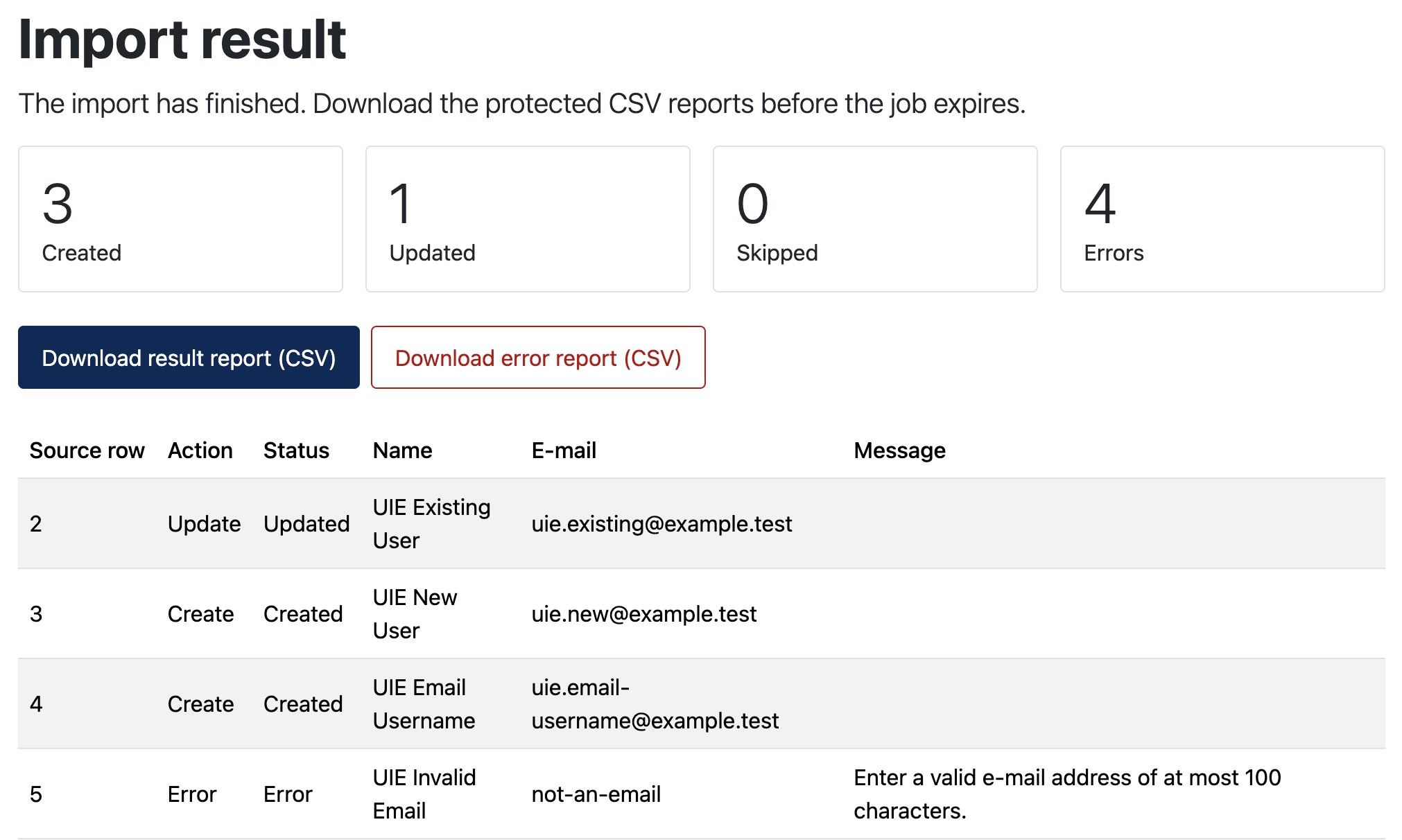
Typical validation messages
- Required name, e-mail or matching value is missing.
- An e-mail address or username is invalid or already belongs to another user.
- The same matching value occurs more than once in the source file.
- A user group is unknown, ambiguous or outside the current manager's authority.
- A required custom field is missing or a value is not allowed.
- Status, registration-date or password changes were not explicitly enabled.
- The selected password mode does not match the mapped password column.
- The current account may not create, edit or change the requested user.
Correcting errors
- Download the error report when many rows are affected.
- Use Source row, Field, Message and Error code to locate the cause.
- Correct the source file, mapping or import settings.
- Upload the corrected file or return to column mapping.
- Run full validation again.
If invalid rows are independent of the valid rows, you may enable Allow the import to skip rows with validation errors. Review the skipped rows after the import and process a corrected file later.
Error and result reports
Reports are UTF-8 CSV files designed for spreadsheet review and automated follow-up. They include row references, actions, statuses, fields, messages and stable error codes as relevant. Sensitive password values and password hashes are never written to these reports.
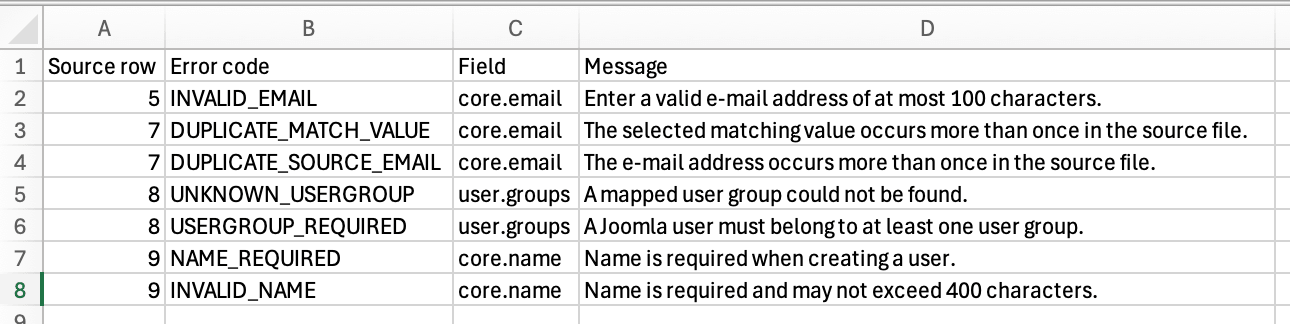
After processing
The result page shows created, updated, skipped and error totals. Download the result report before the job expires. Uploaded files and generated reports are held in private storage and removed according to the configured retention period.
When asking for support, include the component version, Joomla version, import settings and relevant error codes. Do not send a real user file or password data unless a secure transfer has been agreed.
